1. 이클립스에 Spring Tool Suit 설치
- Spring.io 에 들어가서 projects 탭에 있는 Spring Tool 4클릭
- 맨 밑에 있는 Spring Tool Suite 3 wiki 클릭
- Spring Tool Suite 3.9.18 클릭
- 그 중 최근 버전 다운로드
Spring Tools 4 is the next generation of Spring tooling
Largely rebuilt from scratch, Spring Tools 4 provides world-class support for developing Spring-based enterprise applications, whether you prefer Eclipse, Visual Studio Code, or Theia IDE.
spring.io
완전 새로워진 공식 스프링부트로 변경되었기 때문에 아래의 예전버전을 다운받습니다.
https://github.com/spring-attic/toolsuite-distribution/wiki/Spring-Tool-Suite-3
Spring Tool Suite 3
the distribution build for the Spring Tool Suite and the Groovy/Grails Tool Suite - spring-attic/toolsuite-distribution
github.com
2. STS실행 (Spring 이클립스)
- 설치한 zip파일의 sts-버전명 RELEASE 폴더의 STS파일 실행
- workspace (작업할 파일들이 저장될 위치 ) 지정
- 실행



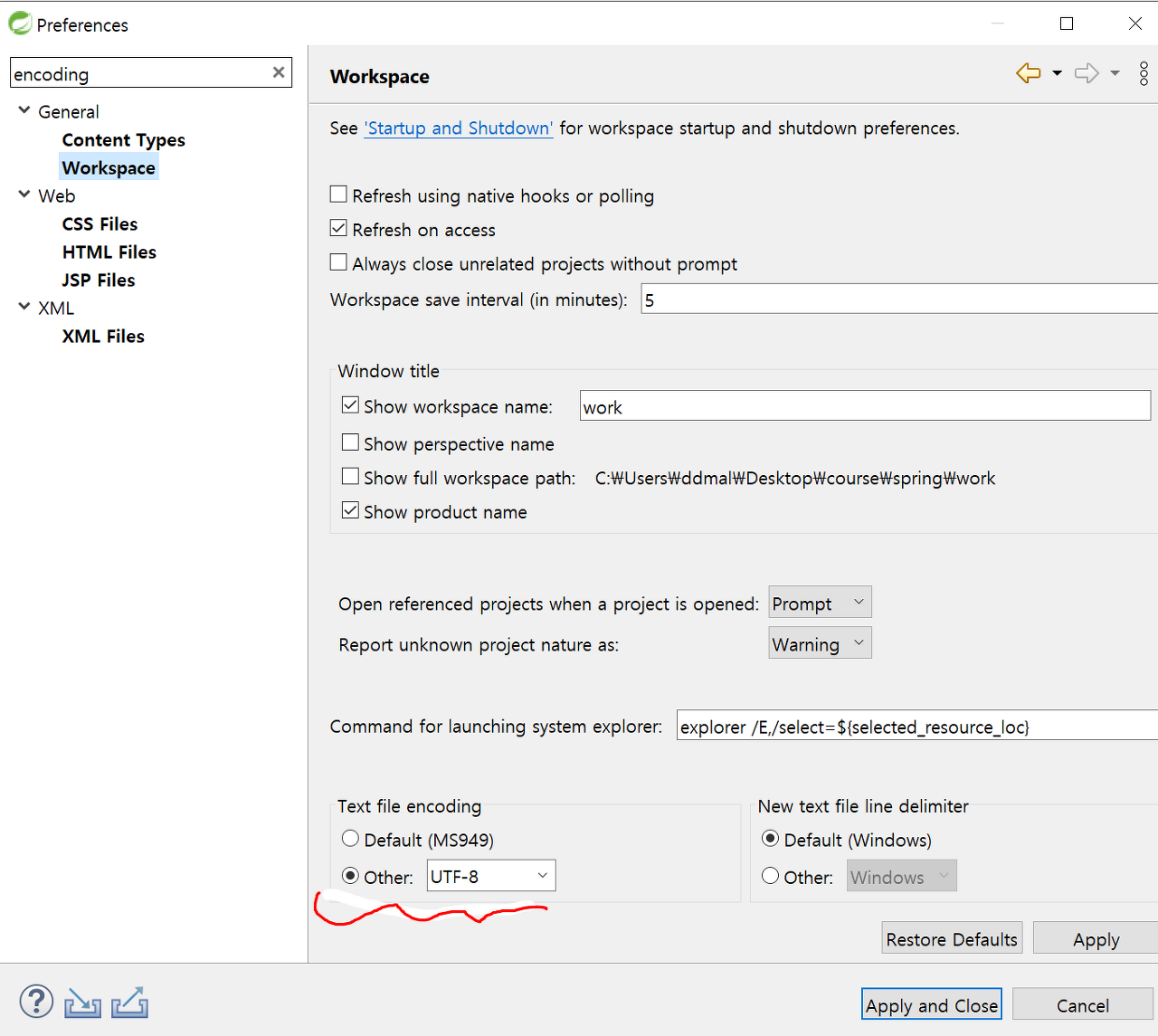
3. Window -Preference - Encoding UTF-8로 설정
- Workspace
- CSS Files
- HTML Files
- JSP Files

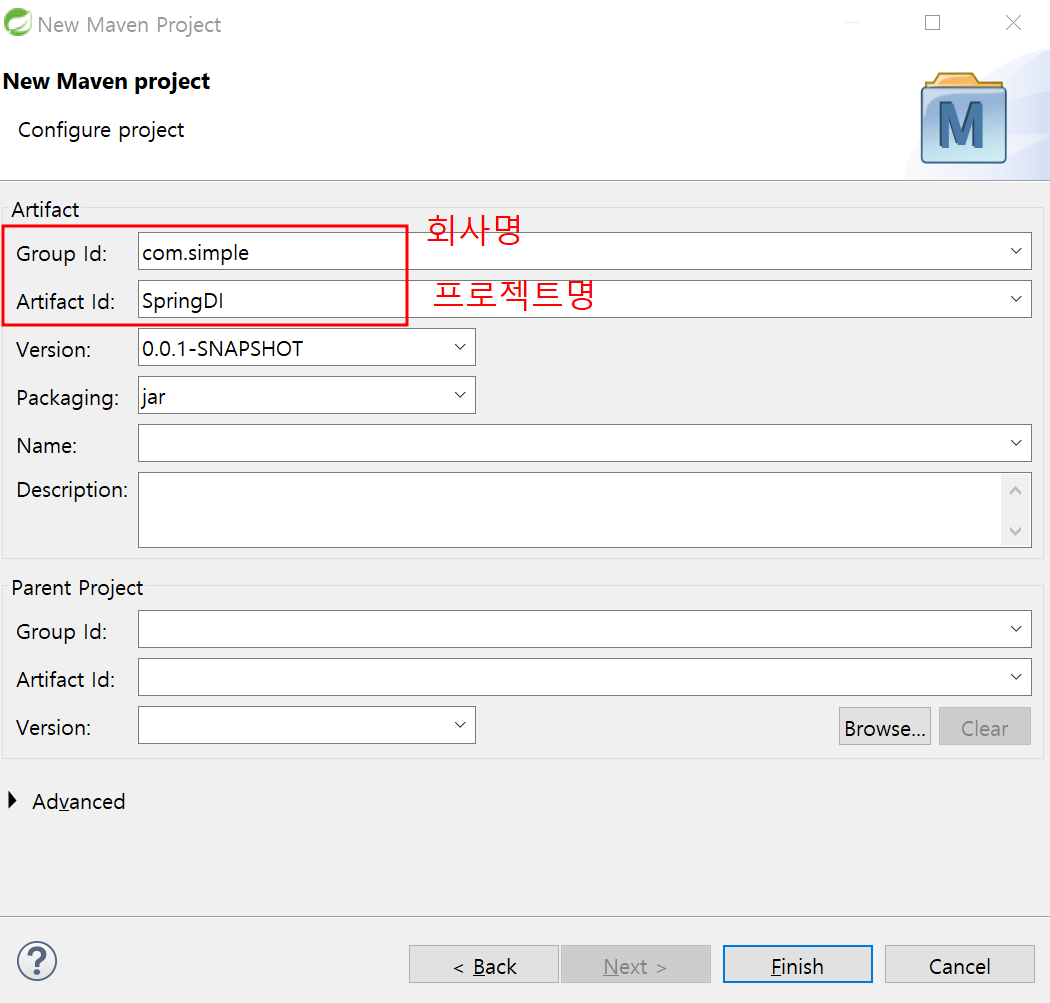
4. Maven Project 생성
중간에서 필요한것들을 내려받아서 프로젝트에 사용할 수 있게끔 도와주는 플랫폼 - Maven


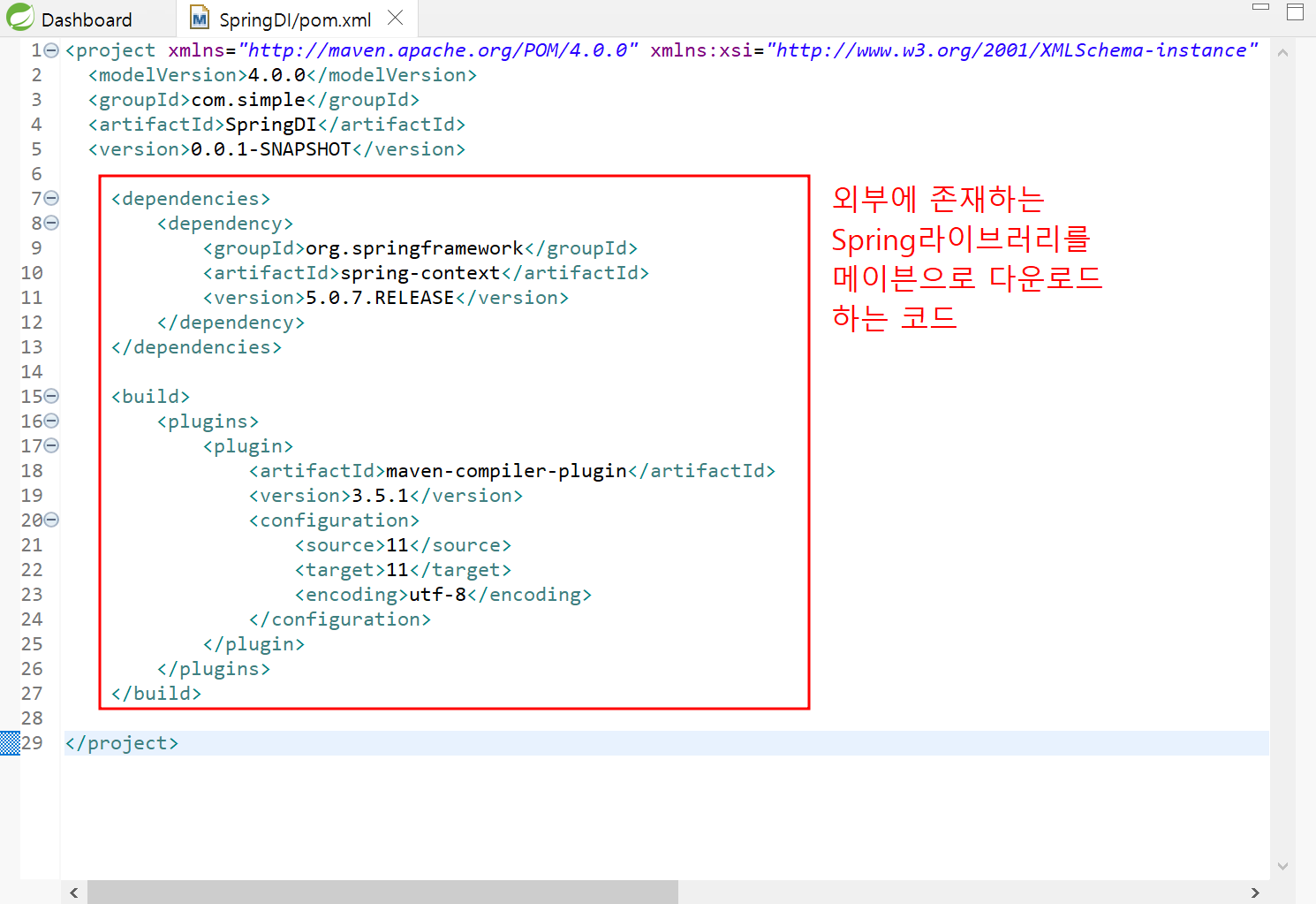
5. Pom.xml에 Spring라이브러리를 메이븐으로 다운로드하는 코드 기입
<dependencies>
		<dependency>
			<groupId>org.springframework</groupId>
			<artifactId>spring-context</artifactId>
			<version>5.0.7.RELEASE</version>
		</dependency>
	</dependencies>

	<build>
		<plugins>
			<plugin>
				<artifactId>maven-compiler-plugin</artifactId>
				<version>3.5.1</version>
				<configuration>
					<source>11</source>
					<target>11</target>
					<encoding>utf-8</encoding>
				</configuration>
			</plugin>
		</plugins>
	</build>

6. 다운을 받고 버전이 다르면 에러가 뜬다
- 해당 에러는 프로젝트의 JRE라이브러리 버전이 메이븐 설정파일에 명시되어 있는 버전과
일치하지 않아서 발생하는 것으로 프로젝트를 업데이트하라고 나온다.
- 프로젝트 우클릭 후 buildPath를 들어가서 Libraries에 있는 다른 버전을 클릭해준다
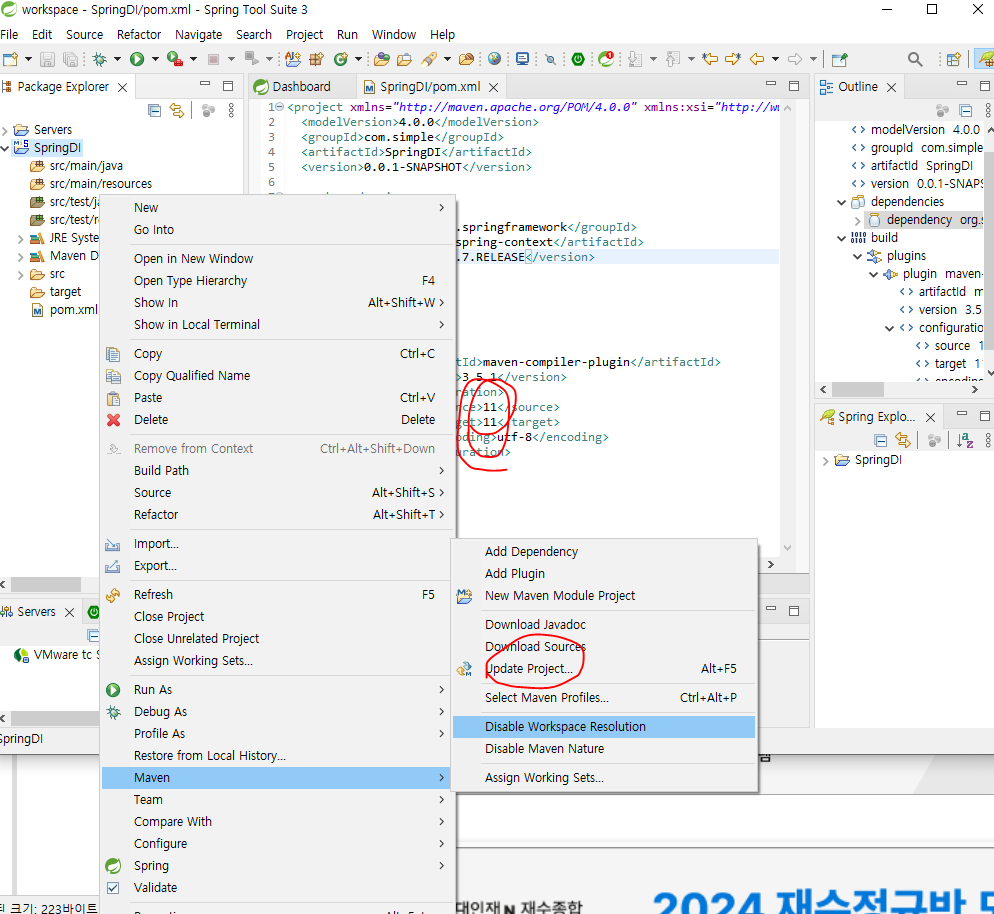
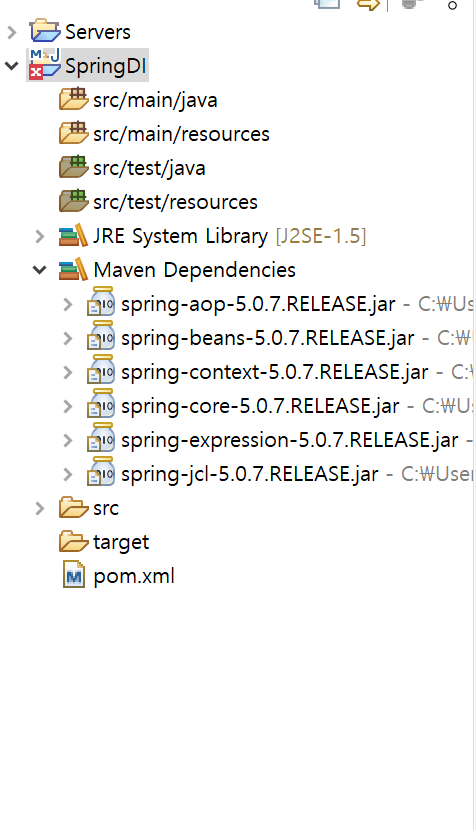


build Path 변경 후 프로젝트를 우클릭한뒤 Maven - Update Project를 클릭해야 적용이 된다.

리소스파일은 외부파일? 객체설정파일??
7. src/main/java에 패키지 생성
7.1 SpringTest라는 Class생성
- SpringTest.java안에 test라는 메서드 선언

7.2 MainClass라는 Class생성
- GenericXmlApplicationContext(8번에서 만든 Spring Bean Configuration File) 를 ctx로 선언
- ctx.getBean(7.1에서 만든 SpringTest.class) 를 bean으로 선언
- bean.test실행

8. src/main/resource에 Spring Bean Configuration File생성
file명은 application-context로 생성
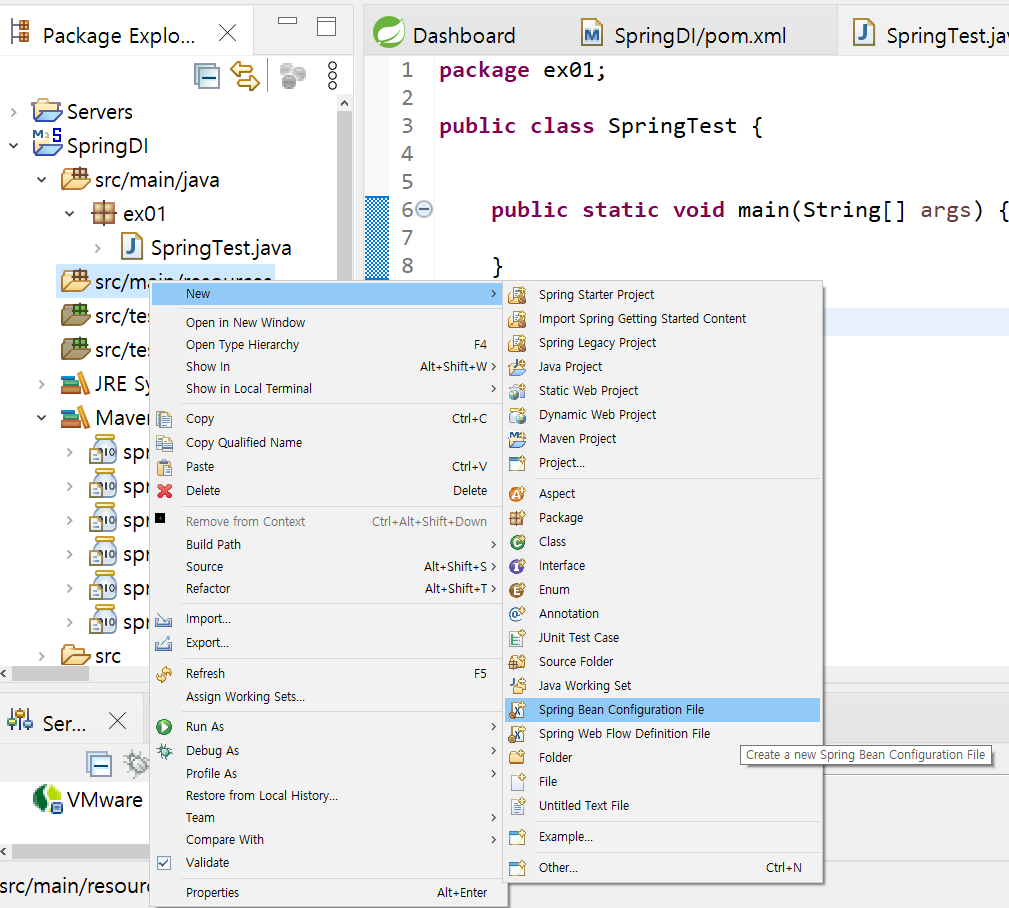

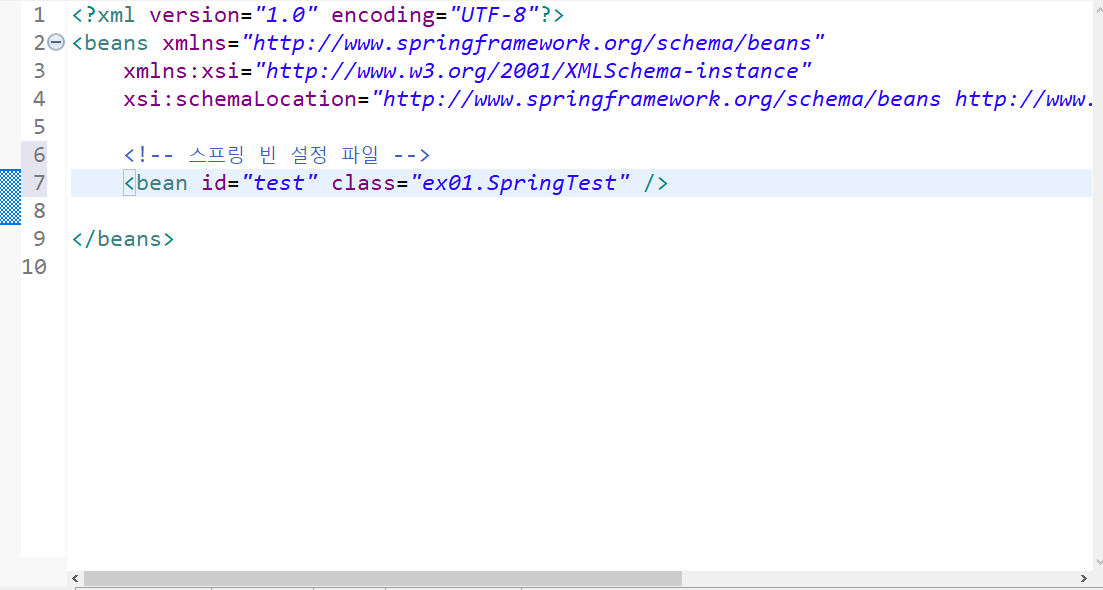
9. Application-context 안에 <bean id="test" class="ex01.SpringTest" /> 작성
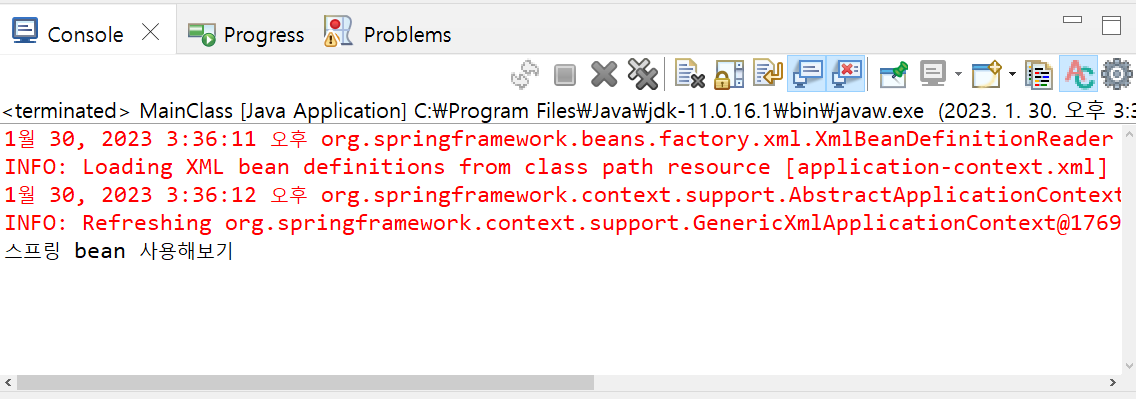
10. 7.2의 MainClass.java 실행결과
'Spring' 카테고리의 다른 글
| 스프링 MVC 객체구현 (@Controller) -(3) (0) | 2023.02.02 |
|---|---|
| 스프링 MVC 객체구현 (@Controller) -(2) (0) | 2023.02.01 |
| 스프링 MVC 객체구현 (@Controller) -(1) (2) | 2023.02.01 |
| JSP에 스프링 조립하기 (0) | 2023.01.31 |
| DI / IoC (0) | 2023.01.30 |